
AI Recruiting Costs: How to Estimate Your Total Spend

Short answer
AI recruiting costs combine the provider's pricing model (a per-hire fee, a subscription, usage credits or a fee per interview) with card processing, currency fees, your team's review and interview hours, compliance checks and a 10 to 15% rework buffer. Estimate each role separately, then compare against what job posts and screening already cost.

A founder has a role to fill, a monthly budget in mind, and a job post that keeps producing CVs nobody has time to read properly. The software quote looks simple, then processing fees, extra interview rounds, and hours spent reviewing profiles turn that quote into a very different number. AI recruiting costs make sense only when an employer adds each layer in order, checks what drives it, and keeps the final hiring decision firmly human.
Table of Contents
What AI Recruiting Covers and Why Costs Vary
Say a founder in Austin needs a bookkeeper in Colombia. A job post goes live, applications arrive for three weeks, and evenings disappear into reading CVs, replying to messages, and trying to remember who sounded strong on a screening call. The work isn't hard because one step is complex. It's hard because sourcing, sorting, scheduling, and note taking all compete for the same few hours.

In plain terms, AI recruiting is software that sources candidates from a large pool, ranks the best matches for a role, shows each candidate's CV and video intro, and records interviews so decisions don't rely on memory. The employer still decides who to interview and who to hire. Readers who want the role itself unpacked can start with what an AI recruiter does day to day before pricing anything. The order in which to automate each hiring step, and which steps to keep human, is covered in what to automate in recruiting first.
Adoption explains why so many pricing models now exist. In 2025, 25.9% of employers reported using AI in their recruitment efforts, up from 14.7% in 2024 and 4.9% in 2023, according to iHire's 2025 State of Online Recruiting report, which surveyed 529 US employers. Those figures are survey estimates, not a census, but the direction matters for budgeting. A practice moving into wider use produces competing ways to charge for it.
Where the Money Actually Goes
Think of a car rental. The daily rate is the visible price, while fuel, insurance, and drop off charges decide the final bill. Hiring works the same way across three stages, plus coordination time between them.
Sourcing: Finding candidates in the right country, language, and time zone, instead of waiting for whoever applies.
Screening: Ranking matches and reviewing CVs and video intros to build a shortlist worth interviewing.
Interviewing: Booking calls, recording them, and keeping transcripts and notes attached to each profile.
Coordination: The messages, rescheduling, and internal updates that sit between every stage and rarely appear on an invoice.
Practical rule: Price the stage being replaced, not the software category. A tool that only drafts job posts and a tool that sources and ranks candidates solve different cost problems.
A useful first check takes five minutes. An employer lists which of the three stages currently consumes paid tools or staff time, then marks which stages an AI recruiter would replace. That simple map prevents a common budgeting error, comparing a full sourcing and screening service against the price of a single job post and concluding the service looks expensive.
AI Recruiting Pricing Models at a Glance
The model an employer buys decides most of the total, so the comparison comes first. Four structures cover the models this guide compares, and each one rewards a different hiring pattern.
| Cost model | How you pay | What drives the total | Best fit |
|---|---|---|---|
| Per-hire fee | One charge when a hire is made | Role level and salary band | One senior or urgent hire |
| Monthly subscription | Flat fee per seat or per month | Seats and open roles | Steady, ongoing hiring |
| Usage credits | Prepaid credits spent on searches and interviews | Number of searches, interviews and rounds | Variable or seasonal hiring |
| Pay-per-interview | Charge each time an interview is booked | Interview count per role | Testing one role before committing |
A per-hire fee is one charge when a candidate is hired, and it typically scales with the role's salary band. That makes it predictable for a single senior or urgent hire, such as a finance lead, but expensive if a team hires support reps every quarter. The risk sits in the definition of a hire, so employers need to know what happens if a new starter leaves quickly.
A monthly subscription charges a flat fee per seat or per month, so cost stays steady whether a team hires one person or five. It's the easiest model to budget for ongoing hiring, and the easiest to waste during quiet months. Seats that nobody uses still bill.
Usage credits are prepaid units spent on searches, candidate reviews, or interviews, so the bill follows volume. Seasonal employers like this structure because spending stops when hiring stops. The trade off is discipline, since vague briefs and extra rounds burn credits faster than expected.
Pay-per-interview charges each time an interview is booked. It suits testing one role before committing, because the employer pays only when a real conversation happens. It also punishes indecision, since interviewing six people twice costs twice as much as interviewing three people twice.
Four Questions for Every Provider
Hirespot, the AI recruiter used as the running example in this guide, works on credits, and creating an account is free. Whatever the model, employers should ask any provider for a written quote that states the unit price rather than assuming a rate. Four questions expose most surprises.
What one unit buys: One search, one candidate view, one interview, or one hire are very different units.
What's extra: Transcripts and interview recordings sometimes sit behind a higher tier.
What expires: Unused credits may lapse at month end, which changes the effective cost per hire.
What's refunded: A canceled interview or a hire who doesn't start needs a written billing rule.
Matching a hiring pattern to one row of the table comes before requesting quotes. An employer hiring two people a year and an employer hiring two people a month shouldn't buy the same structure, even if both like the same product.
How Processing Fees Change the Real Bill
Processing fees look trivial until they're added to every top up for a year. The formula is simple and worth writing down.
Processing fee equals the card rate multiplied by the amount, plus the fixed fee per charge.
The worked example below uses 2.9% plus $0.30 as a working assumption for a US card. That rate is an assumption for illustration, not a quote, and every employer should replace it with the rate on the actual processor agreement or card statement.
| Top-up amount | Percentage fee (2.9%) | Fixed fee | Total processing fee |
|---|---|---|---|
| $100 | $2.90 | $0.30 | $3.20 |
| $1,000 | $29.00 | $0.30 | $29.30 |
Why Small Top Ups Cost More Per Dollar
The fixed $0.30 behaves differently at each amount. On a $100 top up, the $3.20 total works out to about 3.20% of the charge. On $500, the same formula gives about 2.96%, on $1,000 about 2.93%, and on $2,500 about 2.91%. The percentage fee stays constant, but the fixed fee shrinks as a share of larger charges.
That math has a practical consequence. Ten separate $100 top ups carry ten fixed fees, while one $1,000 prepayment carries one. Batching credits into fewer, larger purchases lowers the fee per dollar, provided the credits won't expire before the team uses them. Batching only saves money when the hiring plan is firm enough to spend the balance.
The Cross Border Line Most Budgets Skip
Remote hiring adds a second payment wrinkle. When a team pays by card in one currency for a service connected to a worker paid in another, the card issuer may add foreign transaction or currency conversion fees on top of standard processing. Those charges sit in the issuer's fee schedule, not in the recruiting quote, so employers shouldn't assume a rate or guess. Checking the schedule before the first payment takes minutes and prevents a recurring surprise.
A quick self audit grounds the estimate in real numbers. Pull the last three card statements, find the processing and foreign transaction fees, divide total fees by total charged, and use that effective rate in the budget. An employer who discovers the actual rate is higher than the working assumption can adjust the model before committing, rather than explaining a variance later.
Cost Drivers That Move Your Total
Two employers can buy the same model and spend very different amounts. Six drivers explain most of the gap, ranked here from largest to smallest impact, each with one lever.
Role seniority comes first. A senior developer's salary band raises per hire fees and any salary linked pricing, while a customer support rep costs less to fill. The lever is honesty about level. Briefing for a senior when a strong mid level hire would do inflates every downstream cost.
Country and language follow. A bookkeeper who must work in both English and Spanish may come from a smaller pool than one working in English alone, and a smaller pool often means more searching and more interview rounds. With Hirespot, an employer describes the role in a chat with Spotter, in plain words, including role, country, language, budget and time zone, so those constraints are explicit from the start rather than discovered mid search. The lever is deciding which requirements are fixed and which are preferences.
Time, Rounds, and Volume
Time zone overlap is next. A narrow overlap window between a US team and candidates in the Philippines, for example, can mean more scheduling attempts and slower decisions, which adds staff hours even when the software fee doesn't change. Scheduling interviews inside one fixed weekly window is the lever. Candidates in Mexico, Colombia, Brazil and Argentina share most of the US workday, one of the nearshore hiring advantages worth pricing in.
Interview rounds multiply. Each extra round adds review time, coordination, and under usage based pricing, more billable activity. An executive assistant process that grows from two rounds to four hasn't doubled in quality, but it has roughly doubled in interview effort. Agreeing the number of rounds before posting is the lever, and it also helps candidates.
Volume matters under credits. More open roles raise search and interview counts directly, so a team hiring sales reps in batches should set a monthly credit cap and review it against actual hires. Brief changes come last but still cost money. Rewriting a brief after results arrive can waste spent credits and restart matching, so writing the first brief precisely, with must haves separated from nice to haves, is the cheapest lever of all.
A precise brief is a cost control, not paperwork. Every vague requirement gets priced later as extra searches, extra interviews, or a restarted shortlist.
Costs Most Estimates Miss
The invoice isn't the full cost. Three hidden lines decide whether AI recruiting saves money, and none of them appears on a quote.
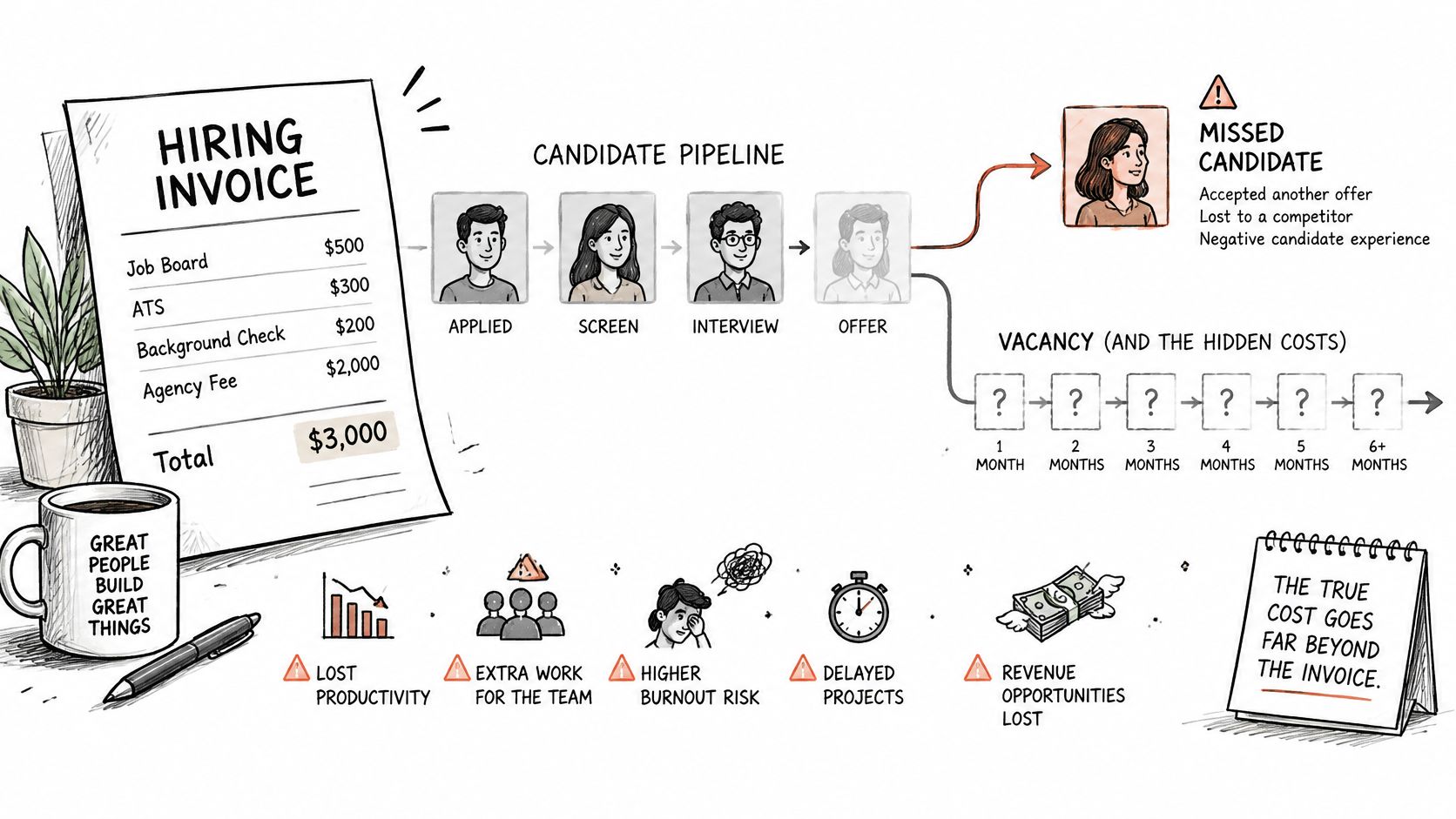
The first is the wrong screen. When a system ranks a qualified candidate too low, the employer pays for another search and lives with a longer vacancy. False negatives are easy to miss because nobody interviews the people who were filtered out. Sampling rejected candidates each month, and checking whether strong people were missed, turns that invisible cost into a measurable one.
The second is candidate drop off. In the first quarter of 2025, 32% of 2,918 job candidates surveyed by Gartner were concerned that AI could cause their applications to fail, while 25% said they trusted employers less when AI was used to evaluate their information, according to Gartner's survey release. Unexplained automation can push good candidates away even when the matching is sound, so a short plain language note about where AI helps and where a human decides is a retention tool, not just a courtesy.
Compliance Time Belongs in the Budget
The third hidden line is compliance and documentation time. Under Title VII, an employer stays responsible for disparate impact when an algorithmic tool makes or informs hiring decisions, even when a vendor built the tool. The EEOC removed its AI technical assistance from eeoc.gov in January 2025, but that guidance was non-binding: Title VII and the Uniform Guidelines on Employee Selection Procedures still apply, as the National Law Review explains. If a selection procedure produces adverse impact, it has to be shown to be job related and consistent with business necessity. The practical remedies are changing the tool, choosing an alternative, or modifying how it is used.
The four-fifths rule gives employers a practical starting test. A selection rate for one protected group that is less than 80% of the rate for the group with the highest selection rate can indicate adverse impact, under section 1607.4(D) of the Uniform Guidelines. If 50% of one group advances and 35% of another advances, the ratio is 70%, below that threshold, so the employer should investigate. The rule is an indicator, not a final legal determination.
Offsets exist, and they belong in the same ledger. Each candidate's video intro and CV appear on one screen, where an employer can book an interview or tap Not for me to see the next person, which shortens profile review. Interviews are recorded with a transcript, and notes stay on the candidate's profile, which cuts note taking and re briefing colleagues who missed the call.
Two checks keep hidden costs visible. Sample rejected candidates monthly to catch strong people the ranking missed, and log the reason each shortlisted candidate advanced. Those hours are real work, and they belong in the estimate as their own line rather than being absorbed invisibly by whoever runs hiring.
How to Estimate Your Total AI Recruiting Cost
A finished estimate has one line per role, a monthly total, and an annual total. Eight steps turn a hiring plan into a number an employer can defend, and each step adds something the previous one lacks.
List expected hires for the next 12 months by role, country, and seniority. Each row becomes its own estimate because a developer in Brazil and a support rep in South Africa don't carry the same drivers. A single blended number hides exactly the differences that move cost.
Choose a cost model and get a written unit price. The hiring pattern points to one model, and the written quote fixes the unit. Verbal ranges can't be multiplied, so they can't be budgeted.
Estimate the search and interview load per hire. A simple planning shape is three rounds with two candidates reaching the later rounds, adjusted to how the team hires. Counting usage before buying credits prevents both shortages and expiring balances.
Apply the processing formula to every card payment and add any currency fee. Run each planned credit purchase through the percentage-plus-flat-fee formula from the processing fees section, then layer on any conversion charge. The annual line equals the per-payment fee multiplied by how many times the balance gets refilled, so the estimate needs a refill count alongside the percentage.
Add internal time at a loaded hourly rate. Count it activity by activity: minutes per profile review times profiles screened, hours per interview times interviews held, plus time spent comparing finalists and writing up notes. This line often rivals the software fee per role, so derive it from the interview load in step 3 instead of guessing.
Add the hidden cost line. The recurring checks and the rework allowance covered under the costs most estimates miss take real hours. Express them at the same loaded rate used in step 5 so the hidden line stays comparable with the visible one, and the compliance work stops looking like an overrun.
Compare against the current baseline using the same hire count. Job post spending, screening hours, and any recruiter fee already being paid form the baseline, and the comparison only means something when both sides assume identical hires. The saving to count is the sourcing and sorting work the AI recruiter absorbs. The cost to keep is the reviewing and interviewing that stays with the team.
Add a buffer of 10 to 15% for rework. Treat this as a planning convention, a standard contingency set before any quotes exist, rather than a measured rate. A changed brief, a finalist who declines, or an extra interview round will happen at least once in a year, and the buffer absorbs it without reopening the budget.
Sanity check: If the estimate has no line for internal hours, it isn't finished. Software is rarely the largest cost in hiring. People's time is.
Worked through in order, the result reads like an invoice before any money is spent. Each role shows its model cost, processing, internal hours, hidden cost allowance, and buffer, rolled into monthly and annual totals an employer can defend.
Confirm Your Budget Before You Commit
A quote is only useful after the estimate exists. Without one, the conversation drifts toward headline rates, the per hire number or the credit price that sounds cheapest in isolation. With one, the employer can ask how a candidate search translates into credits, processing, review hours and the hidden cost lines already priced.
Hirespot works with credits, and creating an account is free, so the practical step is to arrive with a monthly ceiling and a worked annual total rather than a rough guess. The ceiling is the number the estimate must not exceed. The annual total is the model cost plus processing, internal hours, hidden cost allowance and buffer, divided back into a monthly figure for comparison.
The Pre Quote Checklist
Bringing six items to that conversation lets an employer compare total costs rather than headline rates.
Hires per year by role: Count executive assistants, bookkeepers, support reps, sales reps and developers separately, because each role carries its own interview load and rejection rate.
Target countries and languages: Name Latin America, South Africa, the Philippines or another region plainly, with required languages beside it.
Time zone window: State the exact overlap hours candidates must cover; “flexible” leaves the search too wide.
Monthly budget ceiling: Set the hard number before anyone describes a plan.
Interviews per hire: Note planned rounds and candidates per round, since internal hours increase significantly here.
Payment details: Record card type and currency conversion so processing lines stay accurate.
When those six answers are written down, the employer is comparing totals on equal terms. Employers ready to start can start a search on Hirespot: type the role, create a free account and bring the checklist to the first search.
Questions
How much does AI recruiting cost?
It depends on the pricing model. Providers charge a per-hire fee, a monthly subscription, usage credits or a fee per interview. The real total also includes card processing, any currency fees, your team's review and interview hours, compliance checks and a rework buffer of about 10 to 15%.
Which AI recruiting pricing model is cheapest?
None is cheapest in every case. A per-hire fee suits one senior or urgent hire, a subscription suits steady hiring, credits suit seasonal or variable hiring, and pay-per-interview suits testing one role. Match the model to how many people you hire and how often.
How does Hirespot charge?
Hirespot works with credits, and creating an account is free. You describe the role to Spotter in plain words, it ranks the best matches from 400,000+ candidates, and your credit balance is always visible in the app.

Try Spotter on your next hire
Describe who you need and get your best matches from 400,000+ candidates.